Overview
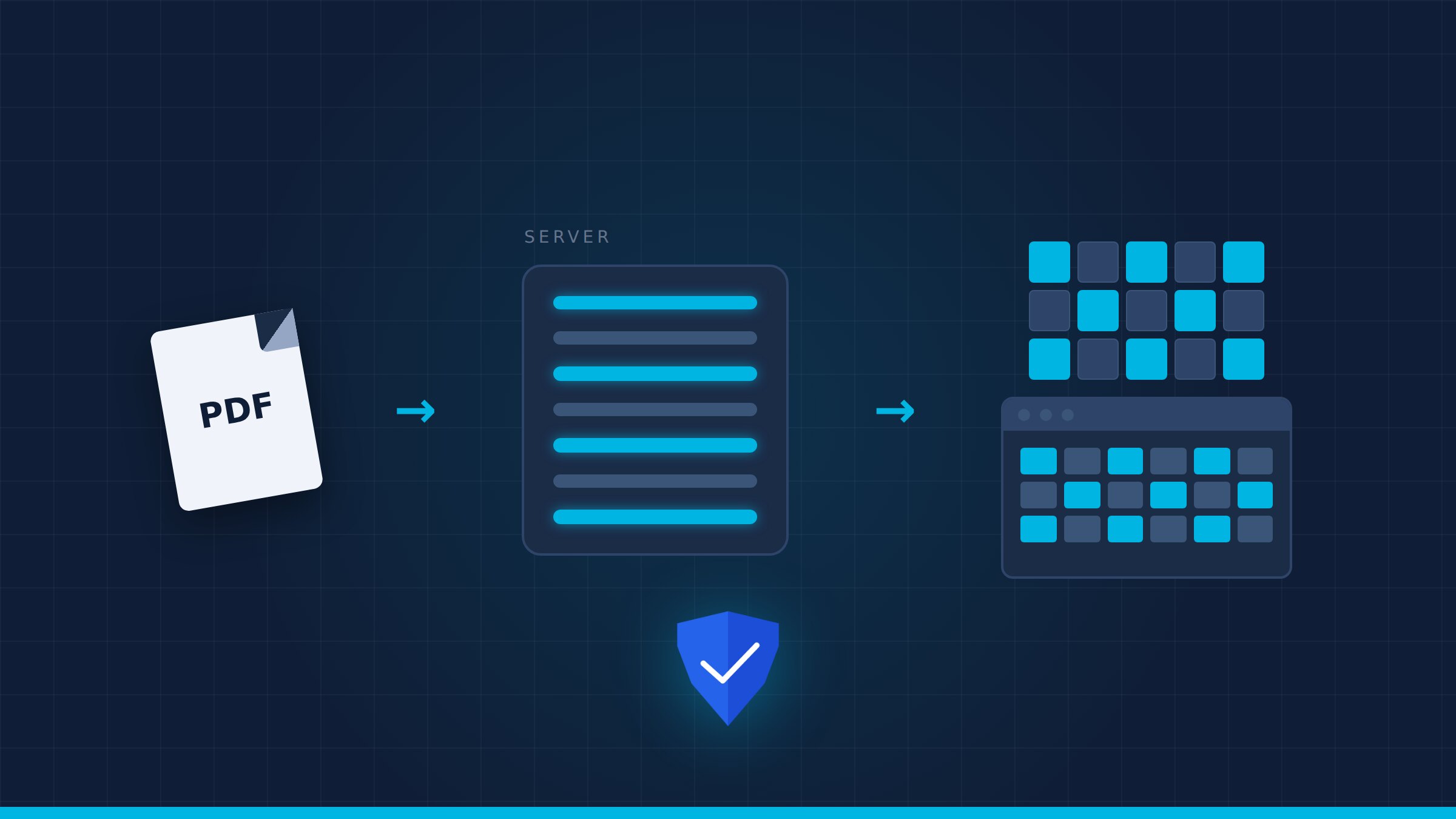
Server-side PDF rasterization is the process of converting a PDF page into an image — pixels — on the server, and sending only those pixels to the browser. The original file never travels to the client. It is the architectural choice behind zero-cleartext viewing: if the document is not delivered, it cannot be copied, printed, or forwarded.
PDFs were designed to travel. That is the problem.
The Portable Document Format is one of the great inventions of office life. It preserves fonts, layout, and vectors across operating systems, and it fits neatly into an email attachment. That portability is exactly why it is so dangerous for sensitive content. A PDF does not care about your network policy; once it lands on a laptop or phone, it can be saved, synced, printed, or uploaded elsewhere.
Most document viewers solve the wrong half of the problem. They encrypt the file in transit, check a password, maybe add a header saying 'confidential,' and then hand the original bytes to the browser. The user sees a viewer, but what arrived is still a PDF. Let's be honest: if the original file reaches the endpoint, the battle is already half lost.
- Original-file viewers protect the connection, not the content.
- Downloadable PDFs bypass most audit and revocation controls.
- Encryption at rest and in transit does nothing once the file is rendered locally.
What server-side rasterization actually does
Instead of shipping the PDF, the server opens it in a controlled environment — typically a sandboxed, distroless container — and renders each requested page into a bitmap. Fonts are subsetted or rasterized, vector paths become pixels, annotations are burned in, and the result is a sealed image strip or tile set. Only that image reaches the user's browser. The underlying document, its metadata, its embedded files, and its JavaScript actions stay on the server.
This is not just 'converting to images.' A proper pipeline is integrated with authentication, policy enforcement, and forensic watermarking. The server decides, for every page request, whether the user is still authorized, whether the session is still valid, and whether a watermark should identify the viewer. The format specification behind PDF, ISO 32000, is complex precisely because the format carries so much hidden state; rasterization strips that state away before it can leak.
Why pixels are safer than files
A pixel is a one-way door. You can screenshot it, but you cannot extract text, embedded attachments, form data, or hidden layers. You cannot run the document's JavaScript, modify its structure, or forward the original to a competitor. For sensitive workflows — due diligence, litigation, engineering review, regulated inspection — that reduction is the point. The viewer sees the information; the endpoint never receives the asset.
- No extractable text or metadata reaches the client.
- Copy-paste, save-as, and print dialogs have no PDF to act on.
- Hidden layers, comments, and redactions cannot be uncovered.
- Each rendered view can carry a forensic watermark tied to the session.
This approach aligns with OWASP's File Upload Cheat Sheet on treating document formats as untrusted payloads. A PDF is a program in disguise; rasterization turns it into a picture before it ever reaches an endpoint you do not control. That is why Aegis Secure View builds its entire viewer on server-side rasterization, paired with the policy engine we describe in our EDRM guide and the access model in Zero Trust for documents.
When should you demand it?
- You share CAD drawings, contracts, or financial reports with external parties.
- Your compliance framework requires audit trails for every document view.
- You operate in a regulated or air-gapped environment where files must stay inside your perimeter.
- You have already decided the document should not be downloaded, yet current tools still allow it.
Server-side PDF rasterization is not a rendering optimization; it is a security boundary. It answers a simple question: can someone walk away with the document? If the answer must be no, the original file should never leave the server. Whether your documents live on-premise or in the cloud, the principle is the same — verify the user, render the page, send only pixels, and audit everything. If you want to see what that looks like for your files, request a demo and we will show you a live session where the PDF stays exactly where it belongs.